Creating a Relaxing Home Office: Top Tips for Comfort and Focus
Setting up a home office that feels both relaxing and functional can greatly enhance your work experience. Whether you’re working remotely full-time or just occasionally, a calm and organised environment helps reduce stress and improve concentration. Here, we explore practical tips for creating a home office that promotes relaxation and focus.
Choose the Right Location
Consider Natural Light
Position your desk near a window if possible. Natural light helps regulate your body clock and can improve mood. Avoid placing your screen where glare from the sun will cause discomfort.
Minimise Noise
Select a quiet spot away from household distractions. If a fully quiet area isn’t available, use noise-cancelling headphones or play soft background music to maintain focus.
Prioritise Comfort
Invest in Ergonomic Furniture
A comfortable chair with good back support is vital. Your desk should be at a height that allows your arms to rest at about 90 degrees. Ergonomic accessories such as a footrest or keyboard tray further improve comfort.
Add Personal Comfort Features
Consider a small desk fan or heater to control temperature. A cushion or throw blanket can make the space feel cozier during colder months.
Declutter and Organise
Keep Surfaces Clear
Limit what you keep on your desk to essentials only. Clutter can cause distraction and stress. Use trays or organisers for stationery and documents to keep things tidy.
Use Storage Solutions
Shelves, filing cabinets, or storage boxes help keep paperwork and other items out of sight but easily accessible. Label containers for quick identification.
Choose Soothing Colours and Decor
Soft, Neutral Colours
Colours such as light blues, greens, or gentle greys can have a calming effect. Avoid overly bright or harsh colours, which may be stimulating rather than relaxing.
Natural Elements
Add plants or flowers to bring a touch of nature indoors. Not only do they enhance aesthetics, but some studies suggest plants can improve air quality and boost mood.
Control Lighting Carefully
Use Layered Lighting
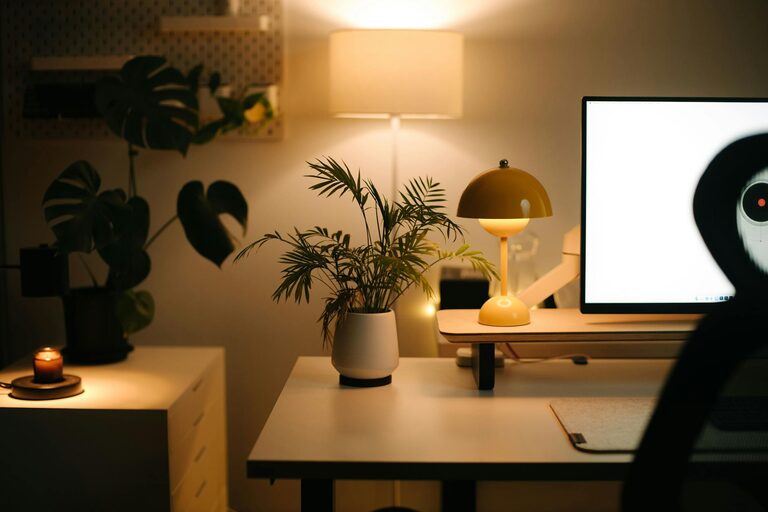
Combine natural light with ambient, task, and accent lighting. Adjustable desk lamps help provide the right amount of light when working late or on cloudy days.
Avoid Harsh Lighting
Bright, direct overhead lights can cause eye strain. Soft, indirect lights help create a warm and inviting atmosphere.
Minimise Digital Distractions
Manage Cable Clutter
Use cable organisers to keep cords untangled and out of the way. This makes the workspace neater and safer.
Set Up Tech Boundaries
Consider having specific times when you check emails or use social media to prevent constant interruptions. Use apps or settings that limit distracting notifications.
Add Personal Touches
Display Inspiring Items
Keep a few meaningful objects such as photos, artwork, or motivational quotes where you can see them. These add personality without overcrowding your space.
Incorporate Calming Scents
If you enjoy aromatherapy, try scented candles or essential oil diffusers with relaxing fragrances like lavender or chamomile. Use with caution and ensure good ventilation.
Promote Movement and Breaks
Include Space for Stretching
Having room to stand up and stretch helps prevent stiffness and refreshes the mind. Consider a sit-stand desk if possible.
Schedule Regular Breaks
Setting reminders to take breaks supports productivity and reduces fatigue. Use breaks to step away from your desk and practise mindfulness or simple stretches.
—
Creating a relaxing home office is about balance — blending functionality with comfort and personal style. By following these tips, you can create a space that not only improves your work performance but also supports your wellbeing every day.