How to Create a Relaxing and Productive Home Office Space
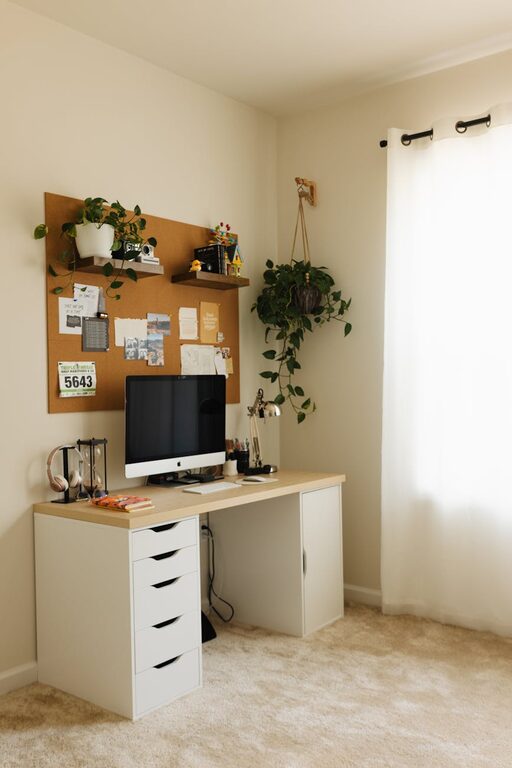
Creating a home office that is both relaxing and productive can make a significant difference to your work-from-home experience. A well-designed space encourages focus, reduces stress, and helps maintain a good work-life balance. Whether you have a dedicated room or a small corner, these tips will help you craft an environment where you can feel comfortable and motivated.
1. Choose the Right Location
Selecting the right spot for your home office is crucial. Ideally, this should be a quiet area with minimal distractions. Here are some factors to consider:
– Natural Light: Position your desk near a window if possible. Natural daylight not only improves mood but can also reduce eye strain.
– Privacy: Find a space where you won’t be disturbed by family members or housemates during work hours.
– Space: Ensure there’s enough room for essential furniture and to move around comfortably.
2. Invest in Comfortable Furniture
Your furniture should support your body and promote good posture, which is vital for long-term health and productivity.
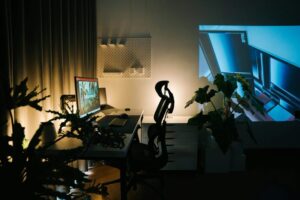
– Ergonomic Chair: Choose a sturdy chair with adjustable height, lumbar support, and comfortable cushioning.
– Desk: A desk at the right height prevents hunching. If you prefer flexibility, consider a sit-stand desk.
– Additional Seating: If space allows, add a small lounge chair or cushion for short breaks or reading.
3. Organise with Purpose
Clutter can be distracting and stressful. Keeping your workspace organised helps maintain focus.
– Storage Solutions: Use shelves, filing cabinets, or storage boxes to keep paperwork and supplies tidy.
– Desk Organisers: Pen holders, trays, and cable management tools keep small items in order.
– Minimalism: Only keep the essentials on your desk to avoid overcrowding.
4. Use Soothing Colours and Decor
Colours influence mood and energy levels. Choose tones that help you stay calm but alert.
– Colour Palette: Soft greens, blues, and neutrals usually promote relaxation without dullness.
– Personal Touches: Add photos, plants, or art that inspire and make the space welcoming.
– Lighting: Besides natural light, use adjustable lamps with warm tones to avoid harsh glare.
5. Incorporate Nature
Bringing elements of nature indoors can improve concentration and reduce stress.
– Indoor Plants: Low-maintenance plants like succulents or spider plants purify the air and add greenery.
– Natural Materials: Use wooden furnishings or stone accents to add texture and warmth.
– Views: If possible, arrange your workspace to face a garden or outdoor space.
6. Control Noise Levels
Sound can either aid focus or cause distraction. Manage noise based on your preferences.
– Quiet Environment: Use rugs, curtains, and soft furnishings to absorb noise.
– Background Sounds: Some people find soft music or white noise helpful. Consider a speaker or noise machine.
– Headphones: Noise-cancelling headphones can block out disturbances during essential tasks or calls.
7. Set Up Technology Efficiently
Ensure your technology supports your work without causing frustration.
– Reliable Internet: A strong and stable connection is essential for meetings and research.
– Cable Management: Keep wires organised and out of sight to maintain a clean look.
– Charging Stations: Designate areas for charging devices to avoid clutter and maintain readiness.
8. Establish Boundaries and Routine
Creating routines and boundaries helps maintain a balance between work and relaxation.
– Working Hours: Define your work hours and communicate them to family or housemates.
– Breaks: Schedule regular breaks for stretching, walking, or refreshments.
– End-of-Day Ritual: Close your laptop and tidy your space to signal the workday is over.
—
Designing a relaxing and productive home office is about creating an environment tailored to your needs. When your workspace supports comfort, focus, and well-being, you’re more likely to enjoy your work and be productive. Experiment with these tips and adapt them as you discover what works best for you. Your perfect home office awaits!